Programming
How to change the Mode:
Other common programming options
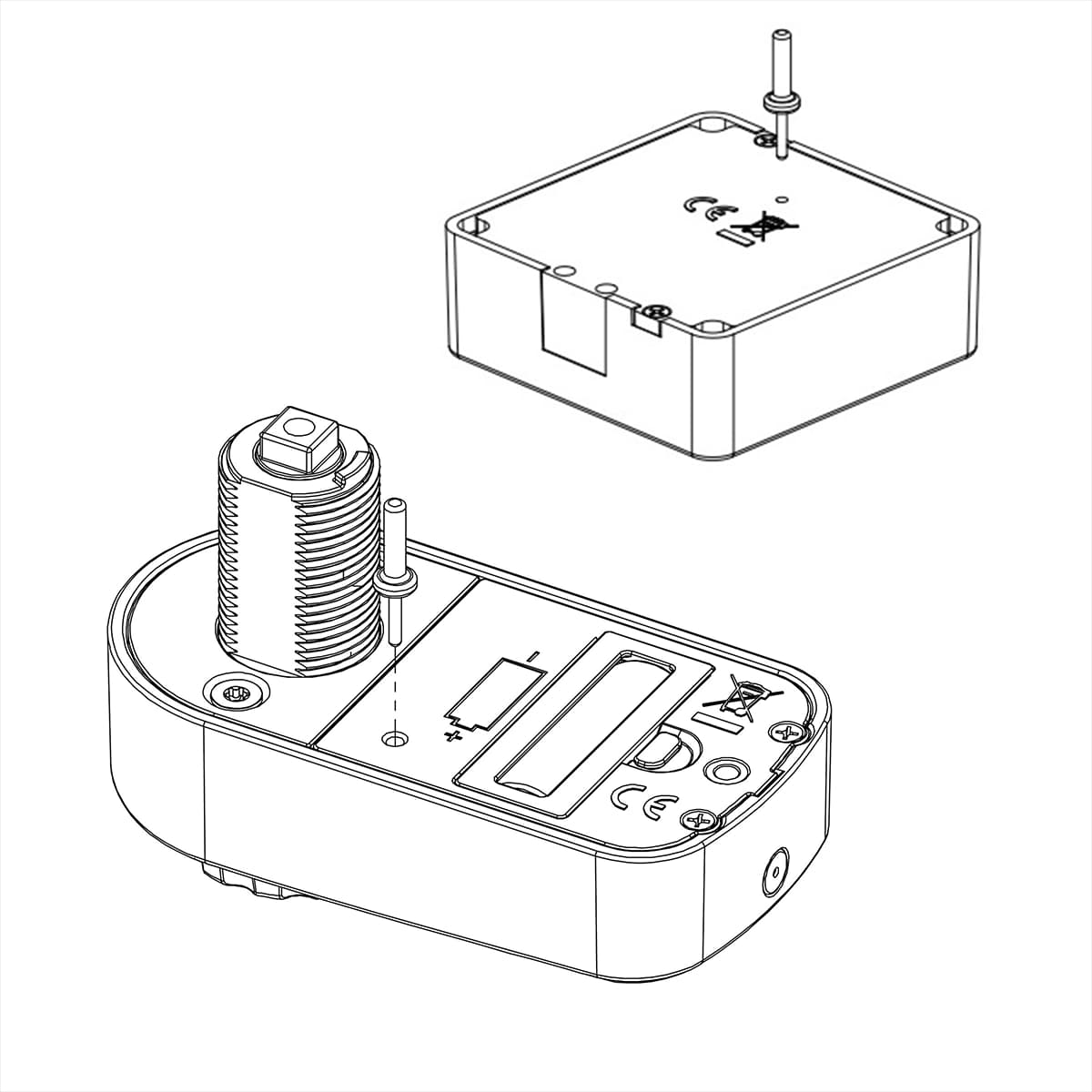
Refresh the lock (program in a new programming card)You need a new programming card and an activation pin. Once refreshed, the lock remains in the same mode as previously. The old programming card is erased and the new one will be valid instead.
Note: Any user and service cards that have been programmed in will also be erased.
1.Turn the lock over and press the activation pin into the hole on the rear. Hold it pressed in for 1 second until the lock begins to emit repeated beeps that last 7 seconds. 2. Within the 7 seconds during which the lock beeps, place the new programming card over the lock. You will hear a beep as confirmation signal and the new programming card has now been added.
Add a service cardThe service card acts as a master key. To add a service card to the lock, you need the programming card and the service card. Place the programming card over the lock. You will hear a succession of uniform beeps for 7 seconds.
Within 7 seconds, place the service card over the lock until you hear a beep as confirmation signal. The service card has now been added.